- A cold pull clears a partial clog: fill the nozzle with PLA at 200-270 °C, cool it to 70-100 °C and pull the plug out. Prusa uses 85 °C or 100 °C depending on the printer, Bambu Lab 70-100 °C and UltiMaker 80-100 °C.
- A fully blocked nozzle needs opening first. Prusa heats to 260 °C for PLA or 280 °C for PETG and ABS and pushes a 0.3-0.35 mm needle 1-2 cm in from below; Bambu Lab's pin method does not work below 0.4 mm.
- PLA is the filament that clogs most in closed printers, through heat creep. Bambu Lab keeps the chamber at least 10 degrees below the glass transition and prints PLA with the door open or top cover off unless the bed is about 35 °C.
- TPU jams in the extruder rather than the nozzle. Prusa prints it at about 20 mm/s, 30-40 mm/s at most, with a loose idler and little retraction, and Bambu Lab cold pulls before loading it.
- Particle fills block the tip. Bambu Lab names carbon fiber, glow in the dark and sparkling filament; Polymaker recommends a 0.6 mm nozzle for its Galaxy PLA, while Prusa says fine glitter runs even in 0.25 mm.
- Abrasives end a brass nozzle's life: in E3D's test 250 g of XT-CF20 wore the tip into a dome, while hardened steel showed no visible wear after 2.5 kg of filled material.
A clogged nozzle is usually cleared with a cold pull. Heat the nozzle, push PLA through until it runs clean, let the nozzle cool to about 70-100 °C, then pull the filament out so the debris comes with it, and repeat until the tip comes out clean and cone shaped. If nothing flows at all, the nozzle is fully blocked and a cold pull will not grip, so open the tip first with a 0.3-0.35 mm needle at printing temperature. The cause depends on the filament. PLA jams higher up, in the heatbreak, when a closed printer gets too warm. TPU buckles and tangles in the extruder. Carbon fiber, glow in the dark and glitter fills block the tip with particles, and fiber fills also wear a brass nozzle out of shape. Wet PVA can block the nozzle outright, and plastic left too long in a hot nozzle chars.
The procedures and temperatures below come from the Prusa Knowledge Base, the Bambu Lab Wiki, UltiMaker support, Creality and the Polymaker Wiki, read in October 2026. They often disagree: the pull temperature for PLA alone runs from 70 °C to 100 °C depending on whose page you open. Nanopack has no tie to any of them. Abrasive grades have their own carbon fiber and graphene filament guide, and moisture the filament drying guide.
First find where the clog is
Filament can stop in three places: in the extruder gears, in the heatbreak above the melt zone, or at the nozzle tip. Prusa describes a heatbreak jam (heat creep) as a print that keeps moving while nothing comes out, often with no error, and an extruder that clicks as its gear grinds the stuck strand. It also calls heat creep a less likely cause than a dirty nozzle. A partly blocked tip looks different. Bambu Lab says the strand curls instead of leaving the nozzle straight, extrusion turns uneven, and Flow Dynamics calibration returns a bad K value because the nozzle pressure keeps changing. Its H2 printers measure extrusion force and pause the job with an extruder overload error.
To check, heat the nozzle a little above the filament's usual temperature (Bambu Lab uses 250 °C for PLA) and extrude by hand. A straight, steady strand means the hotend is fine. A curling, thin one points to a partial clog, and nothing at all to a full one. Prusa and Bambu Lab both reserve the cold pull for partial clogs; a fully blocked nozzle has to be opened first.
Why each filament clogs differently
| Filament | Where it jams and why | First thing to try | Source |
|---|---|---|---|
| PLA, PLA-CF, PLA-GF | Heatbreak or extruder; softens early in a warm chamber (heat creep) | Open the door or remove the top cover, lower the bed temperature | Bambu Lab Wiki, Prusa KB |
| PETG | Heat creep only when the chamber nears its glass transition; oozes when too hot | Keep the chamber cooler, lower the nozzle temperature | Bambu Lab Wiki, Prusa KB, Polymaker Wiki |
| TPU, TPE | Extruder gears and filament path; the soft strand buckles and tangles | About 20 mm/s, a looser idler, little or no retraction | Prusa KB, Polymaker Wiki |
| Carbon or glass fiber fills | Nozzle tip; particles block the orifice, residue builds up | Needle at temperature, then a cold pull; hardened nozzle of 0.4 mm or more | Bambu Lab Wiki, Prusa KB |
| Glow in the dark, glitter, sparkle | Nozzle tip; particles larger than the hole | Needle and cold pull; a larger nozzle if it repeats | Bambu Lab Wiki, Polymaker |
| PVA and other wet filament | Nozzle; moisture impedes extrusion | Dry the spool before printing | Bambu Lab Wiki |
| Any filament left hot and idle | Nozzle; oxidized, charred residue | Cold pull; heater lower or off when idle | Polymaker Wiki, Creality |
| Hot material followed by a cooler one | Nozzle; the old material never fully purged | Purge or cold pull before switching | Bambu Lab Wiki, Polymaker Wiki |
PLA and heat creep in a closed printer
On enclosed printers the usual culprit is warm air. Bambu Lab's wiki names heat buildup in the enclosure as the most common reason for hotend and extruder clogs on the X1 Carbon and P1S, and PLA as the filament that clogs most, because its glass transition is the lowest. A hot bed under a closed lid warms the chamber until the filament softens before it reaches the melt zone. Bambu Lab's rule is to keep the chamber at least 10 degrees below the filament's glass transition.
For the P1S it gets specific. PLA on the stock Textured PEI plate needs a 55 °C bed, and the chamber fan, which switches on above a 50 °C bed for PLA, may not keep up in a warm room. So PLA prints with the door open or the top cover off, unless it goes on the Cool Plate at about 35 °C, which lets the printer stay closed. The same table sends PLA-CF, PLA-GF, TPU and PVA out with the top cover removed too.
Prusa's heat creep article adds the open printer causes: room temperatures above 35 °C (30 °C for some filaments), filament with metal particles that carry heat upward, a heatsink fan mounted backwards or running below spec, and slow printing with thin layers, which leaves the filament in the hot zone longer. Its fixes are a bed 5-10 °C cooler, 0.15-0.20 mm layers where detail allows, about 10% more speed, and unloading the filament while the hotend is still hot after a job.
PETG, TPU and the flexibles
PETG softens at a higher temperature than PLA, and Bambu Lab keeps the top cover on for it with a 60-80 °C bed, warning of heat creep only if the chamber approaches PETG's glass transition. Its trouble is at the tip. Prusa calls it prone to stringing and suggests more retraction and a lower nozzle temperature, and Polymaker's general advice is that printing too hot lets the melt ooze up into the heatbreak and oxidize, so step down 5-10 °C within the maker's range.
A flexible filament jams before it reaches the nozzle. Polymaker says soft materials buckle and swell and need a constrained path. Prusa lists nozzle clogs and filament wrapping around the gears as the usual flexible problems, and prints at about 20 mm/s, 30-40 mm/s at most, with the idler loosened until the gears grip only gently. Bambu Lab adds a cold pull before switching to TPU, which is too soft to push out what the previous filament left behind.
Fiber, glow and glitter fills
Bambu Lab's clog page treats particles as a separate cause and names carbon fiber, glow in the dark and sparkling filament: some particles are bigger than the hole. For fiber, the answer is a larger hardened nozzle, covered in the composite filament guide. Glitter is less settled. Prusa's nozzle guide says fine glitter should be no problem even in its 0.25 mm nozzle, where it rules out carbon, glass and Kevlar. Polymaker recommends 0.6 mm or more for its aluminum flecked Galaxy PLA to avoid any chance of a clog, though 0.4 mm can work. If one glitter spool keeps clogging while others run fine, a bigger nozzle is the cheap test.
Wet filament and burnt residue
Bambu Lab lists undried PVA among the causes of its extruder overload error and says even a sealed new spool can be wet, since PVA takes up moisture inside the packaging. It dries PVA at 85 °C for 12 hours in a convection oven. Burnt residue is the other slow cause. Polymaker blames filament sitting in a hot nozzle, or printed well above its range, and Creality says long periods at high temperature char filament. Leftovers from a material change do the same: Bambu Lab names PLA and PC, or ASA and TPU, as pairs that cause trouble when the first is not purged, and Polymaker gives PLA after PEEK.
Cold pull temperatures by material
A cold pull uses two temperatures. The fill temperature melts fresh filament into the nozzle so it bonds to the residue, and the pull temperature is low enough that it comes out as one plug.
| Pull filament | Fill temperature | Pull temperature | Source |
|---|---|---|---|
| PLA | 270 °C, keep pushing down to about 170 °C | 85 °C | Prusa KB, MK3S and MK3.5 |
| PLA | 270 °C, keep pushing down to about 170 °C | 100 °C (manual) | Prusa KB, MK4 and XL |
| PLA | Printer cools to 36 °C first | 80 °C (automatic routine) | Prusa KB, MK4 and XL |
| PLA | 220 °C | 70 °C, range 70-100 °C | Bambu Lab Wiki, X1C |
| PLA | 230 °C | 70 °C | Bambu Lab Wiki, P1S |
| PLA | 220 °C | 100 °C | Bambu Lab Wiki, X1 and P1 clog guide |
| PLA | 200-220 °C | 80-100 °C | UltiMaker 2+ support |
| PETG | 220-260 °C | 120 °C | Creality |
| ABS | 240-260 °C | 140-160 °C | UltiMaker 2+ support |
| Nylon | 220-260 °C | 140-160 °C | Creality |
| Cleaning filament | 240-260 °C | 140-160 °C | UltiMaker 2+ support |
| Any (general range) | Filament's range | About 90-140 °C | Polymaker Wiki |
The H2S runs its own flush before the pull, at about 250 °C after PLA, PETG, TPU or PVA, 290 °C after ABS, ASA, PA or PC, and 320 °C after PPS or PPA, then pulls with PLA or PETG. On a first attempt with PLA, Bambu Lab suggests 70 °C so the filament never gets soft enough to clog the extruder. If the filament snaps, the nozzle is too cold; Creality raises it by 5-10 °C. If it stretches or slides out without a plug, wait for it to cool further.
How to do a cold pull, step by step
These steps combine Prusa's MK3S article with Bambu Lab's X1C and P1S articles. Newer printers run most of it themselves: the MK4, MK3.9 and XL from firmware 6.0.0 (6.1.3 on the XL), and Bambu Lab's H2 series once you feed in about 30 cm of filament.
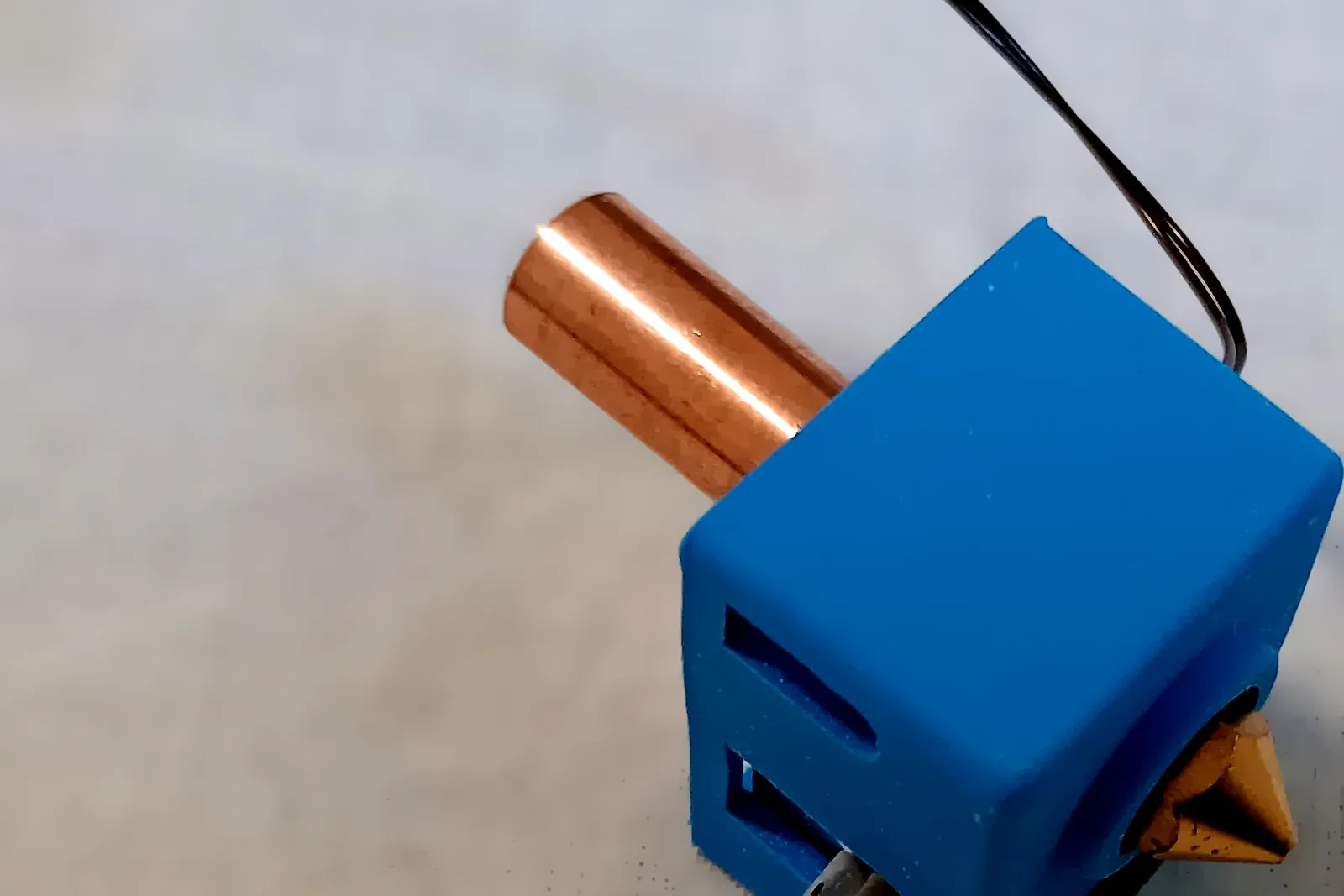
- Unload the current filament. Disconnect the PTFE tube at the toolhead where there is one, and on a Prusa turn filament autoload off.
- Heat the nozzle above the filament's printing temperature: 220-230 °C on Bambu Lab's pages, 270 °C on Prusa's.
- Push PLA in until it flows from the nozzle.
- Set the pull temperature and let the nozzle cool, pushing or pressing extrude every few seconds until the extruder skips or the filament stops. Bambu Lab puts that point at about 150 °C for PLA, Prusa at about 170 °C. Packing the nozzle this way helps the plug pick up the debris.
- Remove any plastic hanging from the tip.
- At 70-100 °C for PLA, pull straight up, slowly and steadily, holding the extruder with the other hand. On Bambu Lab printers, retract from the screen and only help it gently by hand.
- Check the tip. A clean pull carries the shape of the inside of the nozzle and no foreign colour. Black specks, old colour or burnt bits mean another round.
- Once a pull comes out clean, reconnect the tube, reload and extrude a little to see it run straight. On a Prusa, turn autoload back on and redo Z calibration, because pushing on the extruder can shift it.
Pulling sideways can break the filament inside the extruder, Prusa warns. Bambu Lab warns that pressure behind a clog can spray molten plastic and asks for heat resistant gloves. Creality's limit is three clean pulls: if extrusion is still not smooth after that, move on to the next level of repair.
Cleaning filament and the atomic method
UltiMaker's atomic method adds hot pulls before the cold one. On the UltiMaker 2+ you feed about 20 cm of filament at the fill temperature and yank it out several times, trimming the tip each time, then cool with gentle pressure until about 50 °C above the target and pull with one quick, firm motion. The hot pulls remove the large lumps of carbonized material, UltiMaker says, and the cold pull the small particles.
Cleaning filament is often assumed to be nylon, but products differ. UltiMaker's is transparent polycarbonate in 2.85 mm sticks, used at 260 °C on printers without a guided routine. eSUN sells eClean for 160-300 °C without naming the polymer. Prusa prefers plain PLA, saying other filaments tear or melt too much, while Bambu Lab says nylon, ABS and ASA also work. Two nozzles should not get a cold pull at all: Prusa's Nozzle X takes cleaning filament only, and its ObXidian can lose its WS2 coating to a cold pull, a needle or a brass brush.
Needles, wires and full clogs
For a nozzle that passes nothing, Prusa's MK3 procedure heats to 260 °C for PLA or 280 °C for PETG and ABS and waits 2 minutes. The bundled acupuncture needle, 0.3-0.35 mm thick, goes in from below, 1-2 cm deep, never from the top. Next comes a straight 1.5 mm wire about 100 mm long, or the smallest Allen key, pushed from above with care for the gears and PTFE tube, and then fresh PLA to push the plug out. Bambu Lab works its pin up and down at 220-250 °C and warns against pushing too far, which drives molten filament higher and makes the clog worse. Its pin method does not work below 0.4 mm, and 0.2 mm nozzles are much harder to clear.
The last resort is removing the nozzle. Prusa heats it with a heat gun or hairdryer and picks the plastic out, or soaks it for hours: acetone for ABS, tetrahydrofuran or ethyl acetate for PLA. A clog can also sit in the PTFE tube above the nozzle, where a new nozzle will not help, and Prusa notes that an unsecured PTFE tube can cause clogs by itself.
When to replace the nozzle
Prusa replaces a nozzle that is old, heavily used or will not clear. Bambu Lab says its methods clear 99% of clogs and the remainder may be a damaged nozzle.
E3D measured it in 2015. A new 0.40 mm brass nozzle printed 250 g of ColorFabb XT-CF20, about a third of a spool, and its tip wore into a dome while the orifice opened unevenly; a second showed deep grooves inside. A hardened steel nozzle showed no visible wear after 2.5 kg of carbon and glass filled material, and stainless wore at about 30% of the brass rate. In a 2023 paper from the University of Kragujevac, Milenković and colleagues ran copper filled filament through brass and steel nozzles. Brass wore faster, and the changed orifice diameter and nozzle height reduced the dimensional accuracy of PLA parts printed afterwards.
Wear rates differ by fill. Measuring orifices with cold pull imprints, CNC Kitchen found no measurable change after 330 g of glow in the dark PLA. After 360 g of XT-CF20 the orifice was barely wider, but the tip had worn, which showed as a first layer creeping thicker. A nozzle that clogs again soon after each clean pull, or prints a thicker first layer, is due for replacement, followed by first layer calibration.
Saving a print that clogged near the end
If the printer paused itself, as Bambu Lab's H2 does on an extrusion force error, clear the clog and resume. If it carried on printing air, stop it and keep the bed heated so the part stays stuck and the sheet stays put.
CNC Kitchen's method for resuming a failed print then goes like this. Clean blobs off the top layer and measure its height, with calipers, against a feature in the G-code viewer, or by lowering the nozzle onto it. In a copy of the G-code, keep the header, temperatures and homing, delete everything up to the layer above the last good one, and add M106 S255 for the fan. If Z cannot home with a part on the bed, home X and Y only, set the measured height with G92 Z and start the file before the motors drift.
Prevention by filament
For PLA in a closed printer, keep the bed at 45-60 °C, take the top cover off or open the door unless you print on a cool plate, and keep dust out of the hotend fan and heatsink, which Prusa cleans with compressed air. PETG wants the cooler end of its range once stringing starts. TPU needs low speed, a light idler, little retraction and a clean nozzle. Fiber fills need a hardened nozzle of at least 0.4 mm, and the filament types guide notes Prusa's advice to cold pull before starting one. Dry PVA, nylon and TPU before use. After each job, unload the filament while the hotend is hot rather than leaving plastic at temperature, and purge or cold pull when moving from a hot material to a cooler one, which is the routine Bambu Lab recommends.
Frequently asked questions
What temperature should a cold pull be for PLA?
Fill the nozzle at 200-270 °C, then pull at 70-100 °C. Prusa uses 85 °C on the MK3S and 100 °C on the MK4 when done by hand, its automatic routine 80 °C, and Bambu Lab 70-100 °C, starting at 70 °C on a first attempt. If the filament snaps, the nozzle is too cold.
Can I do a cold pull with PETG, ABS or nylon?
Yes, at higher pull temperatures. Creality gives 120 °C for PETG, 120-160 °C for ABS and 140-160 °C for nylon, and UltiMaker 140-160 °C for ABS and cleaning filament. Bambu Lab rates PLA and PETG as the best choices, and Prusa says PLA works best because other filaments tear or melt too much.
Why does PLA clog in an enclosed printer?
Heat creep. A warm chamber softens PLA above the melt zone, where it jams in the heatbreak or extruder. Bambu Lab keeps the chamber at least 10 degrees below the filament's glass transition and prints PLA with the door open or top cover removed unless it uses the Cool Plate at about 35 °C.
Why does my extruder click and stop extruding mid-print?
The gear is grinding against filament that cannot move. Prusa links this with heat creep, where the print keeps moving with nothing coming out, but says a dirty or blocked nozzle is the more likely cause. Extrude by hand at temperature: a curling strand means a partial clog, no strand a full one.
Can a print be saved after the nozzle clogs?
Often. Keep the part on the heated bed, clear the clog, measure the height of the last good layer and edit the G-code to restart one layer above it, a method CNC Kitchen describes in detail. Bambu Lab's H2 pauses itself on an extrusion force error and can resume once the fault is fixed.
When should a clogged nozzle be replaced instead of cleaned?
When it keeps clogging after clean pulls, prints a thicker first layer, or has run abrasive filament through brass. Prusa replaces old or heavily used nozzles, and Creality moves on after three clean pulls fail. E3D found 250 g of carbon fiber filament enough to wear a brass tip into a dome.
Sources
- Prusa Knowledge Base: Cold pull (MK3S/+, MK2.5S, MK3.5/S)
- Prusa Knowledge Base: Cold pull (MK4/S, MK3.9/S, XL)
- Prusa Knowledge Base: Clogged nozzle/hotend (MK3.5/S, MK3S, MK2.5S)
- Prusa Knowledge Base: Extrusion stopped mid-print (heat creep)
- Prusa Knowledge Base: Flexible materials
- Prusa Knowledge Base: PETG
- Prusa Knowledge Base: Prusa nozzle types for Nextruder printers
- Bambu Lab Wiki: What is cold pull and how to perform it (X1C)
- Bambu Lab Wiki: P1S cold pull
- Bambu Lab Wiki: Nozzle cold pull maintenance and cleaning (H2S)
- Bambu Lab Wiki: Heat creep
- Bambu Lab Wiki: Nozzle clog (X1 and P1 series)
- Bambu Lab Wiki: Nozzle clog (A1 mini)
- Bambu Lab Wiki: Unclogging the hotend (H2D)
- Bambu Lab Wiki: HMS 0300-0900-0002-0001, extruder overload
- UltiMaker support: Clean the nozzle with the atomic method (UltiMaker 2+)
- UltiMaker support: Cleaning filament
- Creality: Cold pull 3D printing guide
- Polymaker Wiki: Nozzle clogs
- Polymaker: Galaxy PLA product page (nozzle recommendation)
- 3DJake: eSUN eClean cleaning filament specifications
- E3D (2015), Are abrasives killing your nozzle?
- Milenković S. et al. (2023), Influence of the nozzle wear on 3D printing quality, SerbiaTrib'23, University of Kragujevac
- CNC Kitchen: How much abrasive filaments damage your nozzle
- CNC Kitchen: Guide, resuming a failed 3D print